
TopTon Photo Editor1.0 - Google Play
You'll be able to see results in few seconds.
Publisher Description
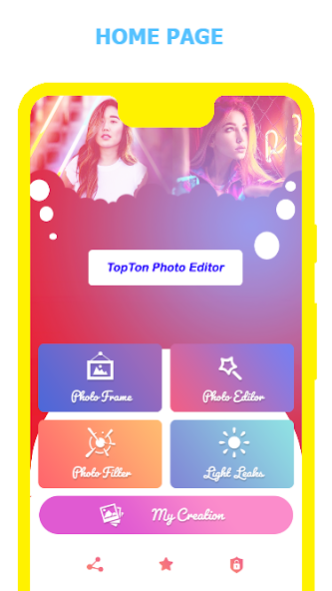
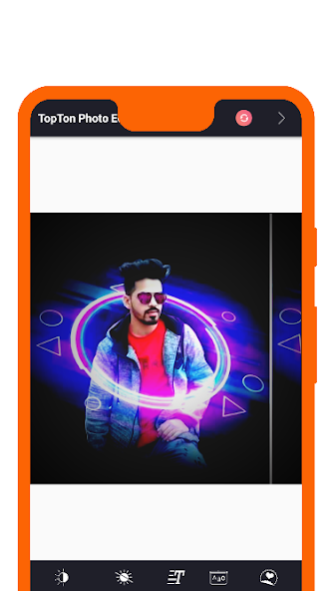

TopTon Photo Editor is a small but powerful photo editing application.
If you have some knowledge of photography, you can do a lot with Photo Editor.
Now use Photo Editor to edit photos on your mobile phone just like you would on a PC TopTon Photo Editor.
TopTon Photo Editor offers everything you want to edit pictures. A host of stylish effects, filters, grids, and draw tools help you create, even if you've never edited a photo before. With TopTon Photo Editor, you can directly post your artworks to Instagram, Whatsapp, Facebook etc. Unlock your creativity, and edit pictures like a pro!
TopTon Photo Editor is a complete and professional photo editor developed by Shashikant bind owner of TopTon.
📸KEY FEATURES
* Frames – add frames with adjustable size.
* Color : exposure, brightness, contrast, saturation, temperature, tint and hue.
* Curves & Levels : fine-tuning of colors.
* Quickly flip & crop photos.
* Rotate, mirror, flip images, drag or swap them, zoom in or out.
*Stickers, Emojis, tags and make your photo more stylish.
* TopTon Photo Editor rotate, scale, zoom in, zoom out the photo to fit the photo frame as you like.
* Curve, brightness, contrast, saturation, vignette, sharpness, hue, white balance, expouser, add text, ABC, Add Sticker are available.
* Effects : gamma correction, auto contrast, auto tone, vibrance, blur, sharpen, oil paint, sketch, black & white high contrast, sepia, and more
* Adding text, images or shapes
* Rotation, Straighten, Crop, Resize
* Corrections : perspective, lens, red-eye, white balance and backlight
* Easily edit with the touch and pinch-to-zoom interface
* Save images in JPEG, PNG, GIF, WebP and PDF
* Share photos with e-mail, SNS and more
😍Add text to photos
✦Add text on photo, with lots of fonts for selecting.
✦Add text on photo, and apply different styles in single text.
✦Best pic editor and effects with text.
😍 Filter effects
★TopTon Photo Editor and we designed lots of great filter effects.Many light effect are available.
😍Curves Photo Editor
✦Powerful curves tools, pro level best darkroom photo editor app.
✦Advanced adjustment with 4 color options. Free picture editor.
✦Photo filters and effects with curves and colors. Best edit photo app.
✦Undo feature to easily correct photo editing.
😍Rotate and Crop Photo
✦Crop photo to adapt for social media ratios. Best presets app for Instagram, aesthetic photo editor 2019.
✦Rotate photo to a perfect angle, horizontal, vertical etc.
✦Pic editing app with ultra-fast rotate and crop tools.
😍Photo Frame
✦Frames – add frames with adjustable size.
✦ Auto frame are also availabe you can use free.
😍Customize Photo Filters with Adjustments option
✦Customize the filter with adjustment features. You can customize the lightness, contrast, saturation and temperature color of pics.
----------------------------------------------------------------------------------------------------------------------------------------------------------------------------------------------------
---------------------------------------------------------
TopTon Photo Editor deserves your try right away. It is the simplest but the most useful photo effects editor. With TopTon Photo Editor, your moment will be as brilliant as an artwork. If you have any problems or suggestions, feel free to let us know. Email: shashikantbind36@gmail.com
About TopTon Photo Editor
The company that develops TopTon Photo Editor is Shashikant bind. The latest version released by its developer is 1.0.
To install TopTon Photo Editor on your Android device, just click the green Continue To App button above to start the installation process. The app is listed on our website since 2020-12-13 and was downloaded 0 times. We have already checked if the download link is safe, however for your own protection we recommend that you scan the downloaded app with your antivirus. Your antivirus may detect the TopTon Photo Editor as malware if the download link to com.androworld.likeproeditor is broken.
How to install TopTon Photo Editor on your Android device:
- Click on the Continue To App button on our website. This will redirect you to Google Play.
- Once the TopTon Photo Editor is shown in the Google Play listing of your Android device, you can start its download and installation. Tap on the Install button located below the search bar and to the right of the app icon.
- A pop-up window with the permissions required by TopTon Photo Editor will be shown. Click on Accept to continue the process.
- TopTon Photo Editor will be downloaded onto your device, displaying a progress. Once the download completes, the installation will start and you'll get a notification after the installation is finished.
Program Details
System requirements
Download information
Pricing
Version History
version 1.0
posted on 2020-12-13
It's first version download it and enjoy app photo effects and many others effects.
Disclaimer
Official Google Play Link
We do not host TopTon Photo Editor on our servers. We did not scan it for viruses, adware, spyware or other type of malware. This app is hosted by Google and passed their terms and conditions to be listed there. We recommend caution when installing it.
The Google Play link for TopTon Photo Editor is provided to you by apps112.com without any warranties, representations or guarantees of any kind, so access it at your own risk.
If you have questions regarding this particular app contact the publisher directly. For questions about the functionalities of apps112.com contact us.
